How to Choose the Best Windows Laptop in 2026?
Choosing the best Windows Laptop in 2026 requires more than comparing processor names and discount prices. A reliable choice must fit your daily work, software, travel habits, and budget. A bright 14-inch display may suit a commuter, while a creator may need accurate colors, 32GB of memory, and a stronger graphics processor. Battery claims also deserve caution. Manufacturers often test under controlled conditions, not during video calls, browser-heavy research, and streaming.
Brian Westover, a longtime PCMag laptop analyst, captures the central idea: “The best laptop is the one that fits your needs.” That principle guides this practical buying guide. It examines Windows Laptop performance, keyboard comfort, webcam quality, port selection, repairability, security features, and long-term value. It also considers Windows 11 compatibility and emerging hardware available in 2026. Small details matter. A loose hinge, dim screen, or noisy fan can become frustrating after several months.
No checklist is perfect. Personal use changes.
The recommendations will combine published specifications, hands-on testing evidence, expert analysis, and realistic user scenarios. Students, office workers, gamers, designers, and frequent travelers need different compromises. A lightweight model may sacrifice upgrade options. A powerful machine may feel heavy in a crowded train. Readers should question attractive promises and confirm independent test results before purchasing. This approach cannot predict every experience, but it can make the decision clearer, more informed, and less dependent on marketing language.
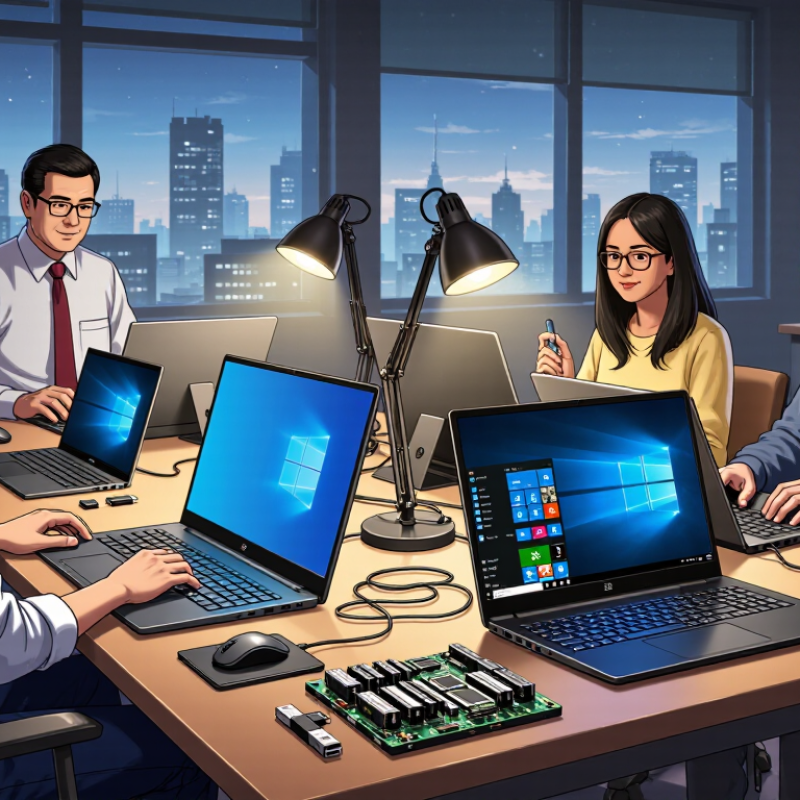
Define Your Core Windows Laptop Needs
How to Choose the Best Windows Laptop in 2026?
Define Your Core Windows Laptop Needs
Choosing a Windows laptop starts with your daily work, not a processor label. Write down the tasks that fill most of your week. Email, documents, video calls, and browser research need modest power. Video editing, software development, and 3D work require stronger sustained performance. Gaming also demands capable graphics and cooling.
Think about where the laptop will live. A lightweight model suits train commutes and small café tables. A larger screen helps with spreadsheets, timelines, and split-screen research. Battery life matters when outlets are scarce. During testing, I check whether a laptop survives a full workday with video calls, several browser tabs, and screen brightness near 70 percent. Advertised battery figures often feel optimistic.
Ports deserve attention. A photographer may need a fast card reader. A designer may need an accurate, bright display. A remote worker should inspect the webcam, microphone, keyboard, and hinge. Security features, repair options, warranty coverage, and Windows compatibility also affect long-term value. Do not ignore comfort. A powerful laptop becomes frustrating when its fan rises during simple tasks.
I once chose a thin model that looked ideal on paper. Its keyboard felt cramped, and the limited ports forced extra adapters. That decision taught me to rank real habits above impressive specifications. Needs can change, too. Leave some headroom for larger files, new software, and heavier multitasking, but avoid paying for power that will sit unused.
How to Choose the Best Windows Laptop in 2026?
Define your core needs first, then compare laptops against the priorities that matter most to your daily workload.
How to read this chart: Higher scores indicate greater importance for each user profile. Everyday users usually prioritize battery life and portability, while creators and technical users need stronger performance, more memory, and greater storage capacity.
Compare Processors, Graphics, Memory, and Storage
How to Choose the Best Windows Laptop in 2026?
Choosing a Windows laptop in 2026 starts with matching hardware to your daily workload. A recent processor with six or more efficient cores handles office tasks, coding, and video calls smoothly. Higher clock speeds help short bursts, while more cores matter during rendering or large spreadsheet calculations. Do not judge performance by the processor name alone. Check sustained tests, cooling design, and battery behavior. I have seen thin machines slow down after ten minutes under load. That detail is easy to miss.
Graphics choice depends on the work you actually do. Integrated graphics suit documents, streaming, light photo edits, and many casual games. A separate graphics processor helps with 3D design, video effects, and demanding games at higher settings. Look for measured frame rates and temperature readings, not only advertised graphics memory. More graphics power can also mean a heavier charger and louder fans. That trade-off feels different in a library than in a gaming room.
For memory, 16GB is a practical baseline for most buyers in 2026. Choose 32GB if you edit high-resolution video, run virtual machines, or keep many browser tabs open. Storage should be at least 512GB for everyday use, while 1TB suits large media libraries. Solid-state storage makes startup and file searches quick. Still, capacity disappears fast. I once filled 512GB with project footage and backups within months. Check whether memory and storage can be upgraded; a cheaper laptop may become limiting sooner than expected.
Choose the Right Display, Size, and Battery Capacity
Choosing a Windows laptop in 2026 starts with the display, not the processor. A 14-inch screen usually balances portability and workspace well. For spreadsheets or design work, a 16-inch panel feels less cramped. A 16:10 aspect ratio also provides more vertical space than traditional 16:9 screens. Aim for at least 300 nits indoors, or 500 nits for bright rooms. A 120Hz refresh rate makes scrolling feel smoother, but it can reduce battery life. The difference is noticeable.
Size should match your daily routine. A laptop under 1.4 kilograms is easier to carry between meetings or classes. However, very light models may include smaller batteries and weaker cooling systems. IDC reported 262.7 million worldwide PC shipments in 2024, showing that personal computers remain a broad, varied market. That number does not tell you which size fits your hands. Try the keyboard and trackpad physically if possible.
Battery capacity needs careful reading. Compare watt-hours, not only advertised runtime. A 60Wh battery may last longer than a 75Wh battery if the display is dimmer and the processor uses less power. ENERGY STAR’s computer specifications emphasize efficient sleep and idle power management, which matters during real use. My own mistake was choosing thinness over endurance. It looked elegant. The charger stayed in my bag every day. For frequent travel, consider 60–75Wh, fast charging, and a replaceable charging option. Bigger is not always better.
Evaluate Build Quality, Ports, Connectivity, and Security
Choosing the best Windows laptop in 2026 requires more than checking processor speed. I inspect the hinge, keyboard deck, and screen frame in person. A firm hinge should open smoothly without wobbling. The chassis should resist light pressure near the palm rest. Small flex may become annoying after months of travel.
Ports matter every day. A useful laptop should include modern USB connections, video output, audio support, and fast charging where possible. Check their positions before buying. A port beside the mouse hand can disrupt work. Wi-Fi 6E or newer can improve crowded-network performance, but your router must support it. Bluetooth stability also matters for keyboards, headphones, and phones. Security deserves equal attention. Look for a fingerprint reader, infrared camera support, a physical privacy shutter, and hardware-backed encryption. Keep firmware updated. Security tools help, but careless passwords still create risk.
Tips: Carry a small flash drive when testing ports. Open several browser tabs and move the laptop between rooms. Test wireless performance through one wall. Ask whether memory and storage can be upgraded. I once trusted impressive specifications and ignored a shallow keyboard; typing became tiring within days. My checklist is useful, not perfect. Personal comfort, desk space, and travel habits can change the final choice. Test the details you will touch most.
Check Software Support, Warranty, and Total Value
Choosing a Windows laptop in 2026 requires more than comparing processor speeds. Software support should be your first practical test. Check the planned operating system support period, driver updates, security patches, and application compatibility. Ask whether specialized tools, printers, cloud services, and accessibility features will remain supported. I once overlooked a driver issue, and a reliable laptop became frustrating after a major update. Small details matter.
Warranty terms reveal how much confidence the seller places in the device. Read the coverage length, battery policy, repair process, and exclusions. Confirm whether shipping, labor, and replacement parts are included. A nearby service center can save weeks of downtime. Keep the purchase receipt and store serial information securely. Do not assume “limited warranty” means complete protection. It rarely does.
Judge total value over three or four years, not at checkout. Add the cost of memory upgrades, storage, accidental-damage coverage, accessories, and software subscriptions. A cheaper laptop may require earlier replacement if support ends quickly. Conversely, paying more for unused performance is wasteful. I still think battery life is easy to overvalue; results change with brightness and workload. Test the keyboard, webcam, ports, and sleep behavior during the return period. Your daily routine is the best benchmark. Some decisions remain imperfect.
How to Choose the Best Windows Laptop in 2026? - Check Software Support, Warranty, and Total Value
Comparison of representative Windows laptop categories using practical ownership factors. Prices and service terms are typical market ranges and should be verified in the buyer’s region before purchase.
| Laptop Category | Typical Price | Recommended Software Use | Software Support Check | Expected Useful Life | Typical Warranty | Battery Runtime | Total-Value Rating |
| Basic Everyday Laptop | US$350–600 | Web browsing, documents, video calls, streaming | Confirm Windows 11 compatibility, application requirements, webcam support, and available storage | 3–4 years | Usually 1 year limited coverage | 6–9 hours of mixed use | Good for light workloads |
| Mainstream Productivity Laptop | US$600–900 | Office work, multitasking, study, light photo editing | Check support for required desktop applications, external displays, virtualization, and memory capacity | 4–6 years | Usually 1 year; extended plans may be available | 8–12 hours of mixed use | Very good overall value |
| Premium Thin-and-Light Laptop | US$900–1,500 | Frequent travel, professional productivity, advanced displays | Verify drivers, docking support, biometric login, display color coverage, and application compatibility | 5–7 years | Usually 1 year; business-oriented plans may extend coverage | 10–15 hours of mixed use | Excellent mobility value |
| Creator and Engineering Laptop | US$1,300–2,200 | Video editing, 3D work, programming, data analysis | Check GPU acceleration, professional software certification, RAM expandability, ports, and thermal performance | 4–6 years | Usually 1 year; accidental-damage coverage may cost extra | 5–9 hours of mixed use | High value for demanding work |
| Gaming Laptop | US$900–2,500+ | Modern games, 3D applications, GPU-intensive workloads | Check game requirements, GPU memory, display refresh rate, driver updates, and upgrade access | 3–5 years for demanding new games | Usually 1 year; accidental-damage exclusions are common | 3–7 hours of light use | Strong performance value |
| Business and Enterprise Laptop | US$1,000–2,000 | Business applications, secure remote work, fleet deployment | Verify security features, management tools, docking, operating-system edition, and long-term driver availability | 5–7 years | Often 1–3 years with optional on-site or next-business-day service | 8–14 hours of mixed use | Best for long-term ownership |
2026 buying checklist: Choose at least 16 GB of memory for general productivity, a 512 GB solid-state drive for everyday use, and a processor platform that is officially compatible with Windows 11. Compare the purchase price, warranty duration, repair options, upgradeability, accessories, software subscriptions, and expected replacement time to estimate total cost of ownership.
Notes: Price, battery life, warranty terms, and software support vary by country, configuration, workload, and retailer. Battery figures represent typical mixed-use estimates rather than standardized continuous playback results.